
welcome to hely!
NOC*NSF has shared vehicles that can be reserved, opened and closed with the Hely app. On this page, we are happy to explain how to create an account and make a reservation.

SIGNing up -NOC*NSF employees
Do you work at NOC*NSF? Then you have access to the shared cars through Shuttel. Creating a Hely account is very simple. Just follow the steps below
- Go to ‘My Shuttel’ and look under ‘Mobility Services’ to activate Hely.
- Open the email from Hely with the invitation on your phone.
- Download the Hely app from the Apple App Store or Google Play Store.
- Click ‘complete registration’ in the email you receive from Hely.
- Go through the driver's license check and you're ready to go!

signing up - sports associations
Do you work at one of the sports associations that have access to the shared cars? Then you can create an account with Hely right away. Creating a Hely account is very simple. Just follow the steps below:
- Download the Hely app and sign in with your sports association business email address and details.
- Open the email from Hely on your phone with the invitation.
- Click ‘complete registration’ in the email you receive from Hely to activate your account.
- Go through the driver's license check and you're ready to go!
the hely app
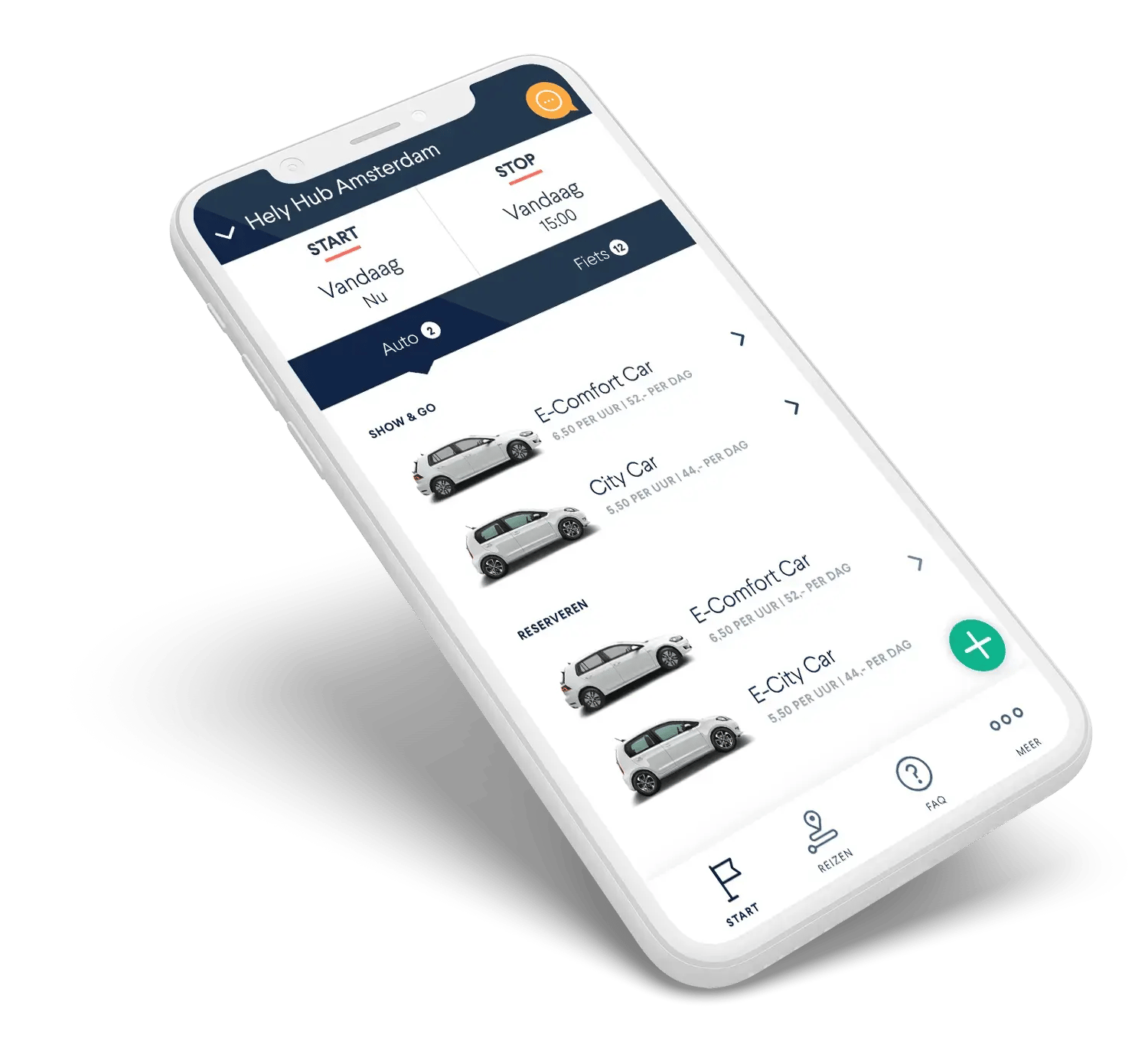
The Hely app allows you to easily reserve, open and close vehicles. You can also manage your reservations and contact one of our customer support agents.
Watch the video or follow these steps:
- Choose a date and time in the Hely app.
- Reserve the car you want.
- Je reserveringen kun je inzien onder het kopje ‘Reizen’.
- Open and close the car via the app.
- End your ride by pressing the button.
- Finished! The vehicle is ready for a colleague again.
FREQUENTLY ASKED QUESTIONS
We've listed the most frequently asked questions and answers about signing up for you.
If you have a Shuttel card, it’s important to first activate Hely via 'Mijn Shuttel' under Mobility Services. Once activated, you’ll receive an email with further instructions.
> I’m having trouble signing up for Hely.
We’re happy to help. Please contact us at support@hely.com or via the chat in the app.
> My account requires manual verification. How does that work?
In some cases, a Hely account is not activated immediately. Manual verification of your (driver's license) details may be required. We do this to keep our platform safe for all users.
> Do I need to use a work phone, or can I install the Hely app on my personal phone?
The Hely app and registration can be done on either a work phone or a personal phone. The only important thing is that you register using your work email address.
need help?
Want to get caught up on how our app and vehicles work? Or how to make a reservation? Then check out our FAQ where we describe in detail how Hely works and where we give tips for using a Hely vehicle or contact one of our customer support agents directly.